
MTG Card Search: 25 Proven Scryfall Tricks for Amazing Results
Magic has well over 25,000 unique cards, and finding the right one can feel impossible without the right tools. A good MTG card search turns that chaos into a few seconds of typing. Whether you need a cheap green ramp spell for Commander, every printing of a card for your collection, or the official ruling on a confusing interaction, this guide walks through Scryfall syntax, Gatherer, practical filters and dozens of example queries you can copy today.
Why MTG card search skills matter
Most players start by typing a card name into a search bar. That works when you already know what you want. The real power comes from searching by function: every instant that draws a card, every creature with flying under three mana, every land that fits a three-color deck. Learning a few operators makes deckbuilding faster, helps you find budget alternatives, and keeps you from overpaying for a card when a cheaper option does the same job.
A sharp MTG card search habit also helps collectors. You can pull every borderless printing, every card by a favorite artist, or every reprint of a staple in seconds. That makes it easier to plan purchases and spot gaps in a binder.
The main tools for MTG card search
- Scryfall: the community favorite, with a powerful syntax, fast results and price references.
- Gatherer: the official Wizards of the Coast database, home of Oracle text and official rulings.
- MTG Arena and Magic Online filters: handy for digital collections, though less flexible.
- Deckbuilding sites: many deck tools plug into Scryfall data and add popularity statistics for Commander.
Most of this guide focuses on Scryfall, because its search language is the most widely used. Its syntax reference page is worth bookmarking once you finish here.
Scryfall MTG card search basics
Scryfall treats any plain word as part of the card name. Type bolt and you get Lightning Bolt, Bolt Bend and friends. To search other fields, you use short keywords followed by a colon. You can combine as many as you like, and Scryfall treats a space between terms as “and.”
Type, text and color
- t: searches the type line. t:legendary t:creature finds legendary creatures.
- o: searches rules text. o:”draw a card” finds cards with that exact phrase.
- c: filters by color. c:rg finds cards that are at least red and green; c=rg means exactly red-green.
- id: filters by color identity, essential for Commander. id<=esper finds cards playable in a white-blue-black deck.
Numbers and stats
- mv: mana value (also written cmc). mv<=2 finds cheap spells.
- pow and tou: power and toughness. pow>=5 finds big creatures.
- r: rarity, such as r:mythic or r:common.
- year: release year. year>=2024 limits results to recent cards.
Sets, formats and legality
- s: or e: filters by set code, for example s:fin for Final Fantasy.
- f: filters by format legality, such as f:commander, f:pauper or f:standard.
- banned: shows cards banned in a format, like banned:modern.
- is:commander: finds cards that can lead a Commander deck.
- game:arena: limits results to cards available on MTG Arena.
Operators that make MTG card search powerful
Once you know the keywords, operators let you shape the results. These small tricks are what separate a casual MTG card search from an expert one:
- Negation: put a minus sign in front of a term. t:creature -c:g finds non-green creatures.
- OR: type it in capitals. t:elf OR t:goblin finds both tribes.
- Parentheses: group terms, as in (t:elf OR t:goblin) c:g.
- Quotes: keep phrases together, like o:”enters the battlefield”. Newer Oracle wording uses “enters,” so searching o:enters catches both.
- Tilde: the ~ symbol stands for the card’s own name in rules text, useful for self-referencing effects.
- Comparisons: >, <, >= and <= work on numbers and even on colors.
Sorting and display
Scryfall normally shows one result per card. Add unique:prints to see every printing, which is invaluable for collectors. Use order:usd to sort by price reference, order:edhrec to sort by Commander popularity, or order:released to sort by date. You can also switch between grid, checklist and full text views using the display options.
MTG card search recipes you can copy
Here are practical queries for common situations. Paste them into Scryfall and adjust as needed:
- id<=g o:”search your library” t:sorcery mv<=3 finds cheap green ramp sorceries for Commander.
- f:pauper t:creature o:flying c:w mv<=2 finds cheap white fliers for Pauper.
- is:commander id=bg lists every Golgari commander option.
- t:land o:”add” id<=jund -t:basic finds nonbasic lands for a Jund deck.
- o:”draw a card” t:instant c:u mv<=2 f:standard finds cheap blue card draw in Standard.
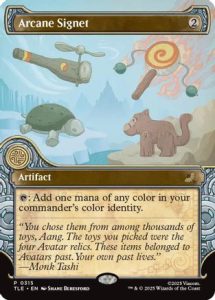
- t:artifact o:”add {c}” mv<=2 finds cheap mana rocks in the same family as Sol Ring and Arcane Signet.
- banned:commander shows the current Commander banned list.
- is:reserved lists Reserved List cards that will not be reprinted.
- a:”rebecca guay” unique:prints shows every printing illustrated by that artist.
- !”Swiftfoot Boots” unique:prints shows every printing of an exact card name.
Budget-friendly searches
Adding usd<1 or usd<5 to any query filters by Scryfall’s price reference. This is perfect for building budget decks. Remember that listed prices are references from online marketplaces, not what any specific store charges, so compare before you buy. Once your list is ready, you can grab the staples from our MTG singles selection.
Tagger searches
Scryfall has a community tagging project that labels cards by function. Searching otag:ramp, otag:removal or otag:card-advantage finds cards by role even when their wording differs. Art tags also exist, so you can find cards whose illustrations show dragons, cats or specific scenes. This type of MTG card search is fantastic for theme decks.
Using Gatherer for official MTG card search
Gatherer is the official Magic card database run by Wizards of the Coast. It received a major redesign in 2024 with a cleaner interface and an advanced search panel. Gatherer is the place to confirm current Oracle wording, read official rulings, and check legality straight from the source. If you are a judge, a rules enthusiast, or you simply want to settle a debate, Gatherer is the authority.
Gatherer search tips
- Use the advanced search to combine name, type, text, color and set filters through menus instead of syntax.
- Open a card page to read rulings under the card details, which explain tricky interactions.
- Check the printings list to see which sets included the card and in which languages.
- Compare printed text with Oracle text, since older cards often have updated wording.
Many players use both tools: Scryfall for fast discovery and Gatherer for the official last word.
MTG card search for collectors
Collectors care about versions as much as card names. Scryfall offers filters built for that job:
- border:borderless finds borderless printings.
- is:fullart finds full-art cards, including many lands.
- frame:showcase or frame:extendedart isolates special frame treatments.
- is:foil and is:nonfoil filter by finish availability.
- st:commander searches by set type, such as Commander products or Secret Lair drops.
- lang:ja shows Japanese printings when you add unique:prints.
Combine them with a name to plan a collection. For example, !”Sol Ring” unique:prints border:borderless narrows a famous card down to its borderless versions. If you chase premium printings in protective slabs, our graded cards page is a good next stop, and a well-organized collections section can fill many gaps at once.
MTG card search on Arena and in deck builders
MTG Arena’s collection screen supports text and filter searches, including color, rarity, mana value and set. It is not as flexible as Scryfall, but you can type keywords to filter by rules text. If you own both paper and digital decks, search Scryfall with game:arena to see which cards exist on Arena before crafting.
Most online deck builders also include search boxes. Many accept similar syntax because they use Scryfall data in the background, so the skills you learn here carry over. That consistency is why investing ten minutes in learning MTG card search pays off across every platform you use.
Common MTG card search mistakes
- Confusing color with color identity: a colorless card with a green activated ability is not legal in a mono-red Commander deck. Use id: rather than c: for Commander.
- Forgetting Oracle updates: wording changes over time, so search for key words rather than full old sentences.
- Overly narrow queries: start broad and add filters until the list is manageable.
- Ignoring legality: add f:standard or f:commander to avoid falling in love with a card you cannot play.
- Trusting a price reference blindly: condition, printing and finish all affect value.
From MTG card search to finished deck
A good workflow looks like this: decide your commander or strategy, run a few function searches, export your favorites to a list, then check legality and budget. After that, gather the cards. Our booster boxes are fun for building a pool, while singles fill specific slots. Do not forget sleeves and deck boxes from our accessories range to protect the result.
Advanced MTG card search ideas for Commander players
Commander decks have 99 slots, so a smart MTG card search can save hours. Try building your search in layers. Start with color identity, then add a role such as ramp, removal or card draw, then add a budget filter. For example, an MTG card search like id<=rg otag:removal usd<2 returns cheap removal for a Gruul deck. Swap the tag for otag:ramp and you have your mana package.
You can also hunt for synergy. If your commander cares about tokens, an MTG card search for o:”create” o:”token” id<=wg surfaces token makers. If it cares about the graveyard, try o:”from your graveyard” id<=bg. Saving these queries as bookmarks turns each future MTG card search into a one-click job.
Saving and sharing searches
Every Scryfall query creates a unique URL, so you can share an MTG card search with your playgroup or save it for later. This is handy when you trade, because you can send a friend a link that shows exactly which cards you want. Pair it with our mystery boxes for a fun surprise or the contact page if you want help finding a specific printing.
Searching for rules and rulings
Sometimes the question is not which card to play but how a card works. Scryfall shows official rulings at the bottom of each card page, pulled from Wizards of the Coast, and Gatherer lists the same rulings with dates. When two cards interact in a confusing way, open both pages and read the rulings side by side. For deeper questions, the Comprehensive Rules on the official Magic website are the final authority. Learning to look things up yourself makes you a more confident player and a more helpful opponent at the table.
MTG card search FAQ
What is the best website for MTG card search?
Scryfall is the most popular choice for its speed and syntax, while Gatherer is the official source for Oracle text and rulings. Many players use both.
How do I search for cards legal in my Commander deck?
Use color identity plus format legality, such as id<=wub f:commander. Add type or text filters to narrow it down further.
Can I search for cards by artist?
Yes. On Scryfall, use a: followed by the artist’s name in quotes, and add unique:prints to see every illustration they made for a card.
How do I find every printing of a card?
Search the exact name with an exclamation mark and quotes, then add unique:prints. You can also open the card page and look at the printings list.
Is Scryfall official?
No, Scryfall is a fan-run site, though it is widely trusted. Gatherer is the official database from Wizards of the Coast.
Buying MTG card search online: a practical checklist
Shopping for MTG card search online is convenient, but a little preparation helps you get exactly what you expect. Use this checklist every time you buy Magic: The Gathering products, whether you are picking up a single card, a sealed box or a premium collection.
Before you order
- Confirm the exact product. Check the set name, card number, language and finish in the listing title and photos.
- Read the condition. Singles are usually listed as Near Mint, Lightly Played or similar. Graded cards show the grading company and grade.
- Check stock status. In-stock items ship sooner than pre-orders, which ship when the product releases.
- Compare value, not just price. A bundle with sleeves, dice or promos may be better value than packs alone.
- Know the policies. Read the shipping, returns and contact information before checkout.
When your order arrives
- Open the parcel carefully and check that everything matches the order.
- Inspect singles and slabs under good light straight away.
- Sleeve and store cards immediately so they keep their condition.
- Contact the store quickly if anything is wrong, with photos of the item and packaging.
How to store and care for MTG card search
Good storage protects both the look and the value of MTG card search. Cards are made of layered paper and ink, so heat, light, moisture and pressure all cause damage over time. A few simple habits make a big difference.
- Sleeve first. A soft penny sleeve stops scratches and fingerprints.
- Add rigid protection. Toploaders or semi-rigid holders stop bends for valuable cards.
- Choose the right binder. Side-loading, acid-free binders keep cards secure and easy to view. Avoid ring binders that press into cards.
- Control the environment. Keep cards in a cool, dry room away from windows, radiators and damp basements.
- Store sealed product flat. Boxes and tins last longer stored flat and out of direct light.
- Handle with clean, dry hands. Oils and moisture can mark card surfaces.
You can find sleeves, toploaders, binders and deck boxes in our TCG accessories range.
Useful terms for MTG card search collectors
- Single: an individual card sold on its own.
- Sealed: unopened product in its original factory wrap.
- Pull rate: how often a type of card appears in packs.
- Chase card: the most wanted card in a set.
- Slab: a card graded and sealed in a hard plastic case.
- NM / LP / MP / HP: condition grades from Near Mint to Heavily Played.
- Reprint: a card printed again in a later product.
- Pre-order: reserving a product before its release date.
Common mistakes to avoid with MTG card search
Even experienced collectors make avoidable mistakes. Keeping these in mind will save you money and protect your cards.
- Chasing one card through endless packs. If you need a specific card, the single is almost always the cheaper route.
- Skipping protection. A card left unsleeved for a day can pick up a scratch that lowers its value.
- Buying on hype alone. Prices can move quickly after a release. Check several recent sales before paying a premium.
- Ignoring condition notes. Two copies of the same card can differ greatly in value because of wear.
- Storing cards in the wrong place. Attics, garages and sunny windowsills are hard on cardboard.
- Forgetting your goal. A clear plan, such as finishing a set or upgrading a deck, keeps spending focused.
A simple plan to get started with MTG card search
- Set a goal. Decide whether you are collecting, playing or both.
- Set a monthly budget. Spending a fixed amount keeps the hobby fun and sustainable.
- Mix sealed and singles. Open packs for enjoyment and buy singles for the cards you really need.
- Protect as you go. Sleeves and toploaders cost little compared with the cards they protect.
- Track your collection. A simple list shows what you own and what you still want.
- Sell or trade duplicates. Turn cards you do not need into new additions through a trusted store.
Why shop for MTG card search at TCG Store USA
TCG Store USA is an online trading card shop for collectors and players. We list Magic: The Gathering products with clear titles and photos, separate in-stock items from pre-orders, and offer a sell and trade service when you want to turn cards into cash or store credit. Browse our singles, booster boxes and graded cards, or contact us with any question about an order or product. For official news, rules and release announcements, visit the official Magic: The Gathering site.
Final thoughts on MTG card search
Learning MTG card search syntax is one of the highest-value skills in the hobby. A handful of keywords lets you find budget swaps, perfect commanders and rare printings in seconds. Practice with the recipes above, keep Gatherer handy for rulings, and when your list is ready, explore our shop or trade in cards you no longer need to fund the next build.